Independently led, end-to-end mixed-methods study of an interactive prompt-engineering course on a multi-chatbot platform for higher education, run through Georgia State’s teaching and learning center.
Problem
BoodleBox knew its Introduction to Prompt Engineering course could be clearer, but didn’t know where or why users struggled.
My role
Lead researcher, end to end: study design, recruiting, sessions, analysis, and recommendations.
Methods
Pre-course survey, unmoderated course sessions with saved transcripts, in-depth interviews (n = 7); synthesis in Condens.
Outcome
Most recommendations implemented: course restructured, instructions rewritten, examples tailored to educators.
BoodleBox is a multi-chatbot AI platform for higher education. Its Introduction to Prompt Engineering course teaches educators to write effective prompts that produce materials they can use in the classroom, with an AI coach guiding them through seven short modules. The team knew the course could be improved and might feel confusing, so I focused the study on three questions: where participants got confused, whether their confidence in prompting changed, and whether they felt they could apply what they learned.
Approach
I wanted to balance attitudinal and behavioral data. A short pre-course survey captured each participant’s AI habits and teaching challenges. Then they took the course on their own, unmoderated, so their behavior stayed natural. Every chat was saved, so in the follow-up interview I could open the transcript and ask about specific moments where they got stuck.
Study plan
Pre-course survey10 questions in Qualtrics
Teaching history, classroom challenges, and AI habits. Each participant also wrote a prompt for a classroom activity and rated their confidence in it.Why: captured each person’s starting point, including the prompting mistakes they made and how confident they felt before the course.
Self-paced courseUnmoderated, about 35 minutes on average
Participants completed modules 1–7 as-is and took notes on confusion and what they liked. Chats were saved.Why: captured natural behavior, and showed exactly what confused people, not just where.
In-depth interview11 open-ended questions, video with screen share
Revisited specific moments from each transcript. Participants then critiqued their own pre-course prompt, pinpointed how they would improve it, and rated their confidence again.Why: the transcripts explained friction and praise, and the prompt revisions and confidence ratings showed what participants learned and whether the course improved their prompting abilities as intended.
Synthesis and readoutCondens
Synthesized transcripts and interviews, presented findings and recommendations to the BoodleBox team, then shared detailed documents with participant quotes and examples.
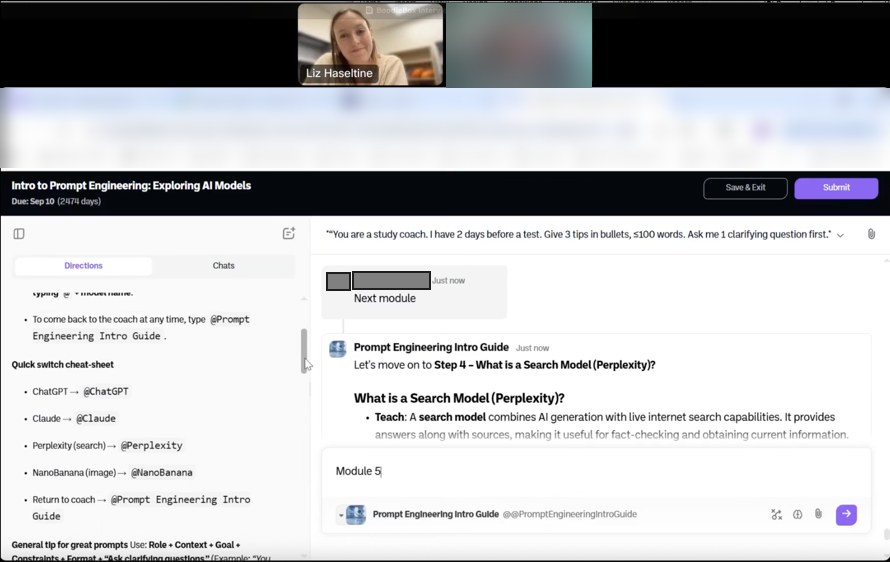
A post-course interview with screen share. Participant details are hidden.
Findings
Educators wanted to learn. The course made them work to get there.
I grouped the friction into three themes and paired each with recommendations.
Key findings
1
Getting started was unclear
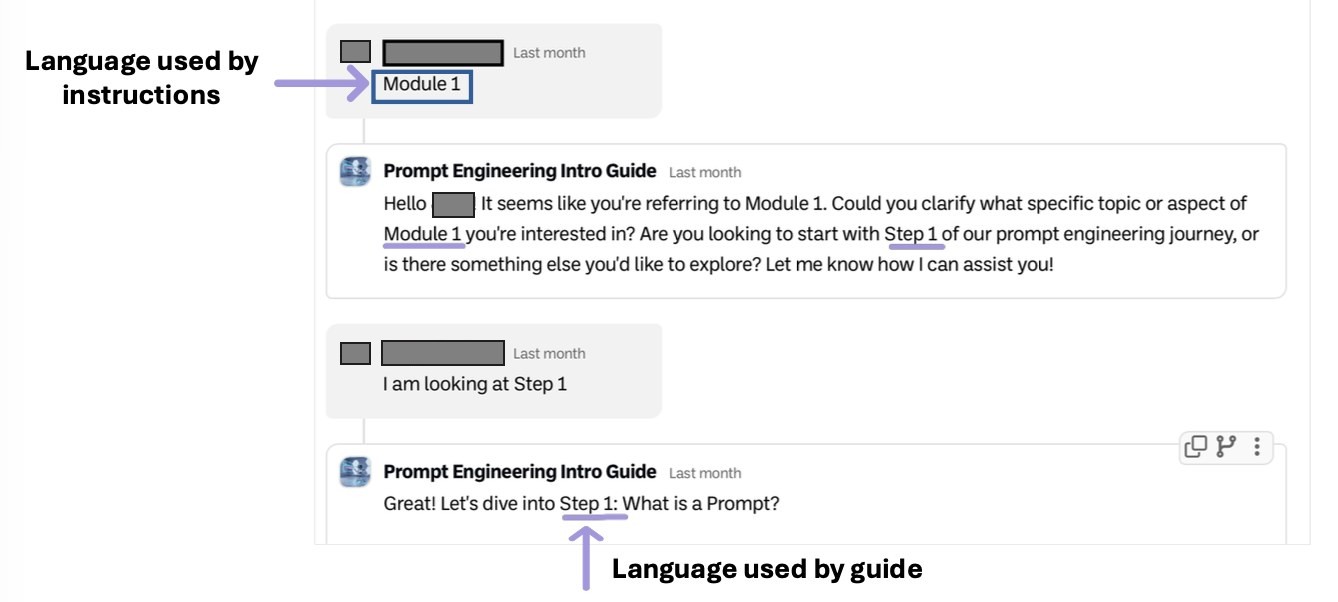
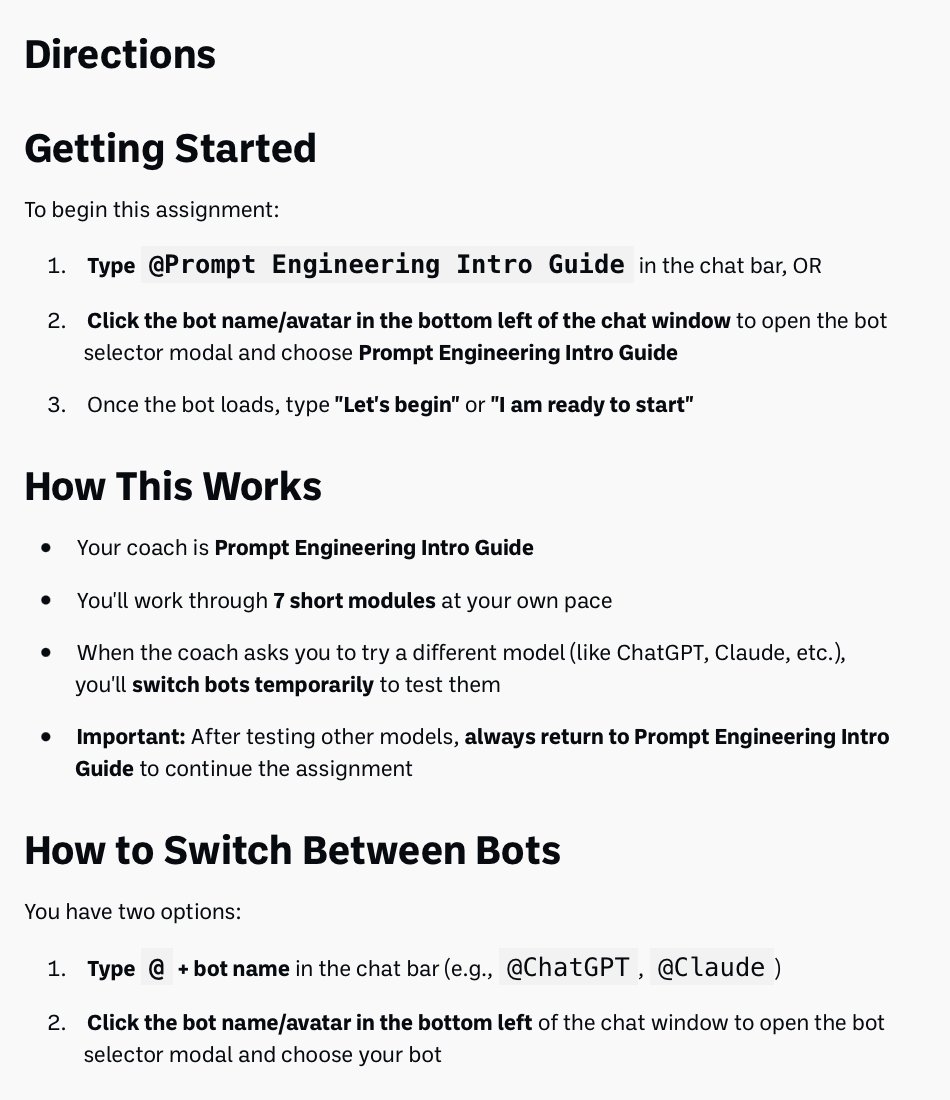
None of the 7 participants started Module 1 as intended with their first message, and each began the course with a different prompt. The directions and the AI coach used different words (“Module” vs. “Step”), and participants weren’t sure whether to answer check-in questions or send them to the AI. At least two participants got frustrated and took a break.
Recommendation: Use consistent language, start the course with a pre-written message that shows exactly what to say, and state how to engage with check-ins.
From the readout: the directions say “Module 1,” while the coach says “Step 1.”
2
Participants messaged the wrong AI
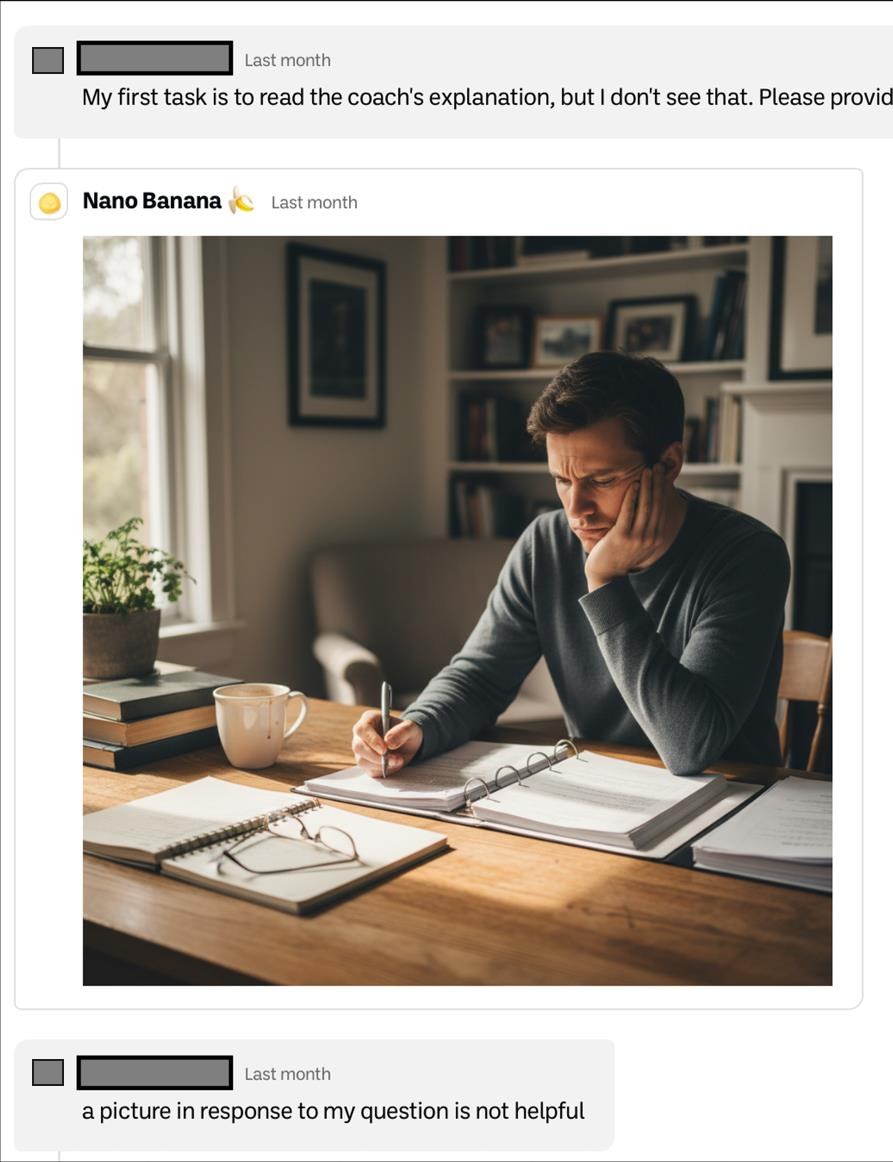
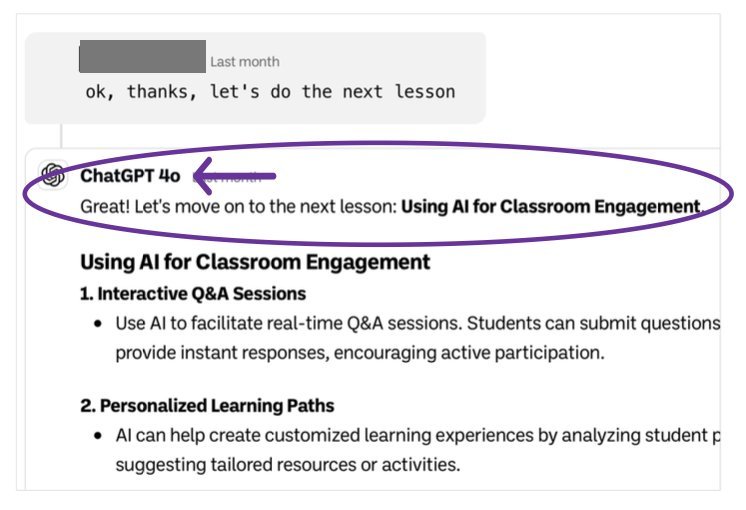
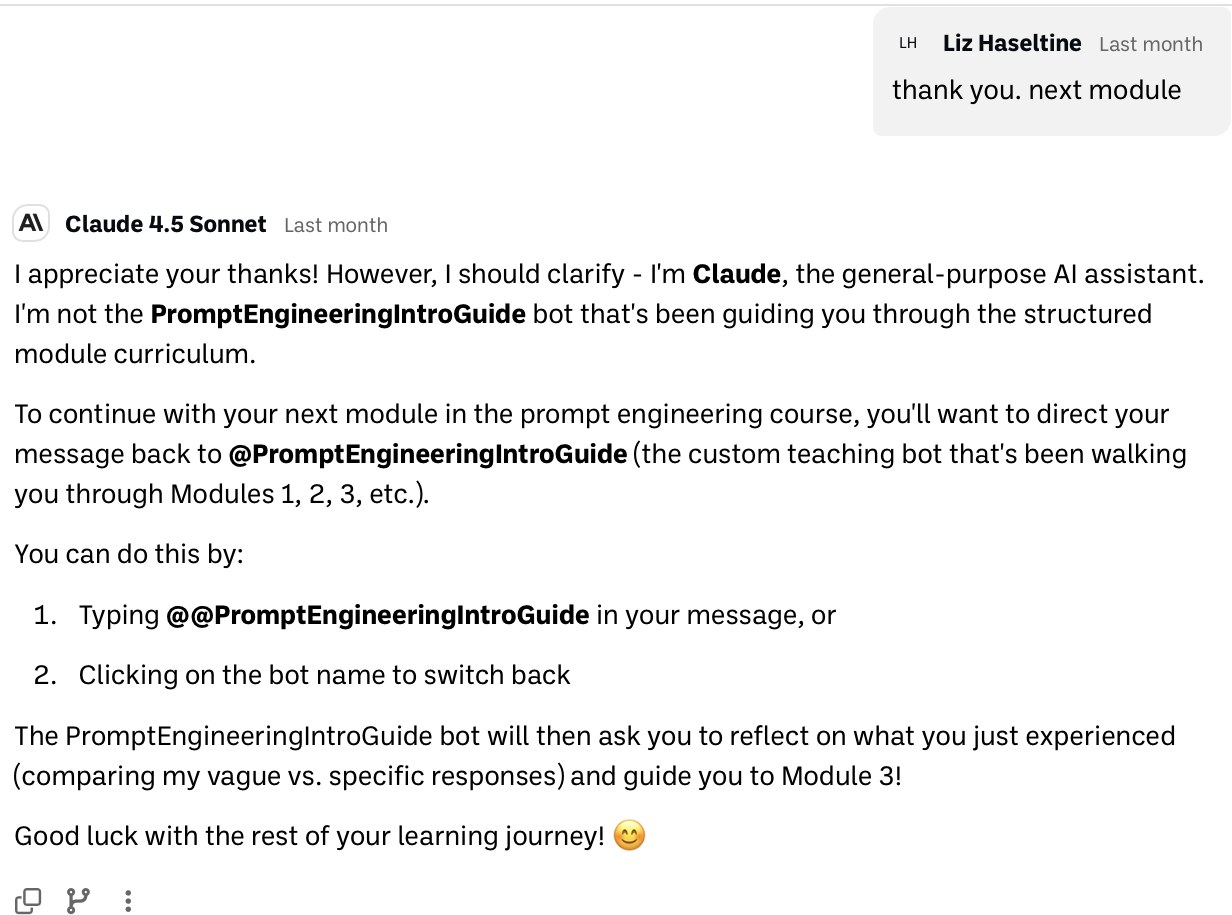
Every participant messaged the wrong chatbot at least once, often without realizing it. Three of 7 had trouble starting because an image generator was the default, and 3 of the 4 participants who tried switching models with “@” had attempts fail. One participant completed eight “lessons” with a general-purpose chatbot and never finished the actual course.
Recommendation: Make the course coach the default, explain how and when to switch, offer the menu as a second way to switch, and have the coach notice when a user hasn’t switched back.
With an image generator as the default, a participant’s course question got a picture in reply.
3
Lessons weren’t interactive or relevant enough
The course could be completed without any real engagement, and 3 of 7 participants said it didn’t connect to their teaching. “I want this to be practical.” Educators named the tasks they actually needed help with: revising exams, building slides and graphics, grading, and creating large assignments.
Recommendation: Have participants write their own prompts and get feedback from the coach, and build examples around classroom tasks that instructors need assistance with.
What participants gained
More confidence. Average confidence in prompting rose from 6.3 to 7.6 out of 10, and every participant said the course would make them a better prompter.
Better prompts. When asked to revise a prompt they wrote before the course, 5 of 7 would make it more specific, 2 of 7 would assign the AI a role, and 2 of 7 would ask the AI to request clarifying questions.
An enjoyable experience. Participants called the course fun, valued the check-ins, and liked learning how different AI models compare.
Outcome
After my presentation, BoodleBox implemented most of my recommendations or used them as a guide: the course flow was restructured, instructions rewritten, and examples are now tailored to educators rather than offering general guidance. I continue to review course updates with the team.
1
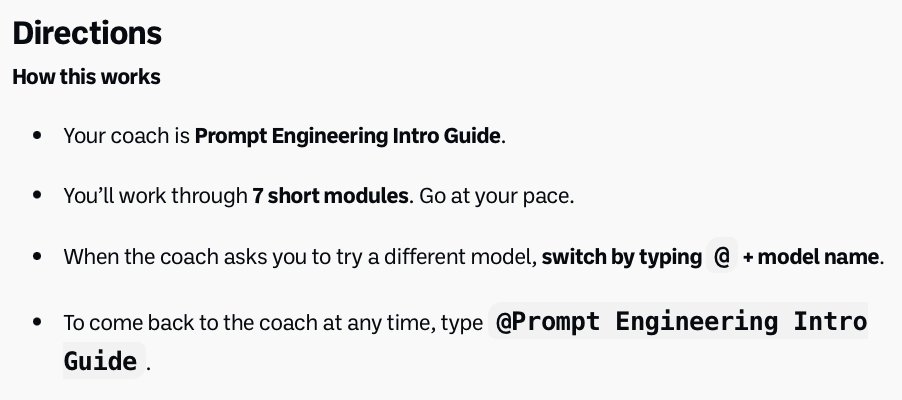
Directions that show exactly how to start
Step-by-step setup, how the course works, and two ways to switch between models. Addresses findings 1 and 2.
Before
After
2
Help getting back to the course coach
General-purpose models now point users back to the coach instead of improvising their own lessons, and activities remind users how to switch. Addresses finding 2.
Before
After
3
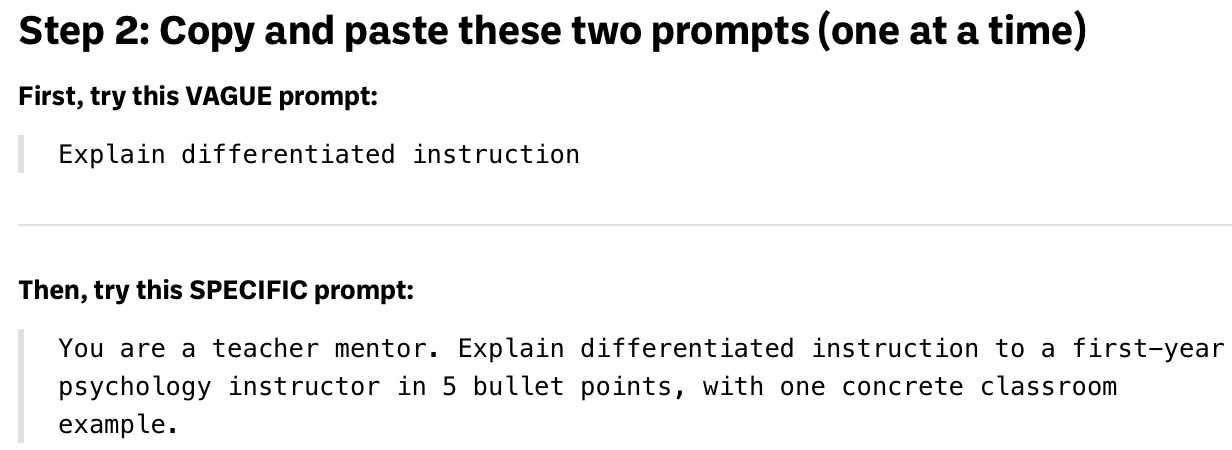
Examples and activities built around teaching
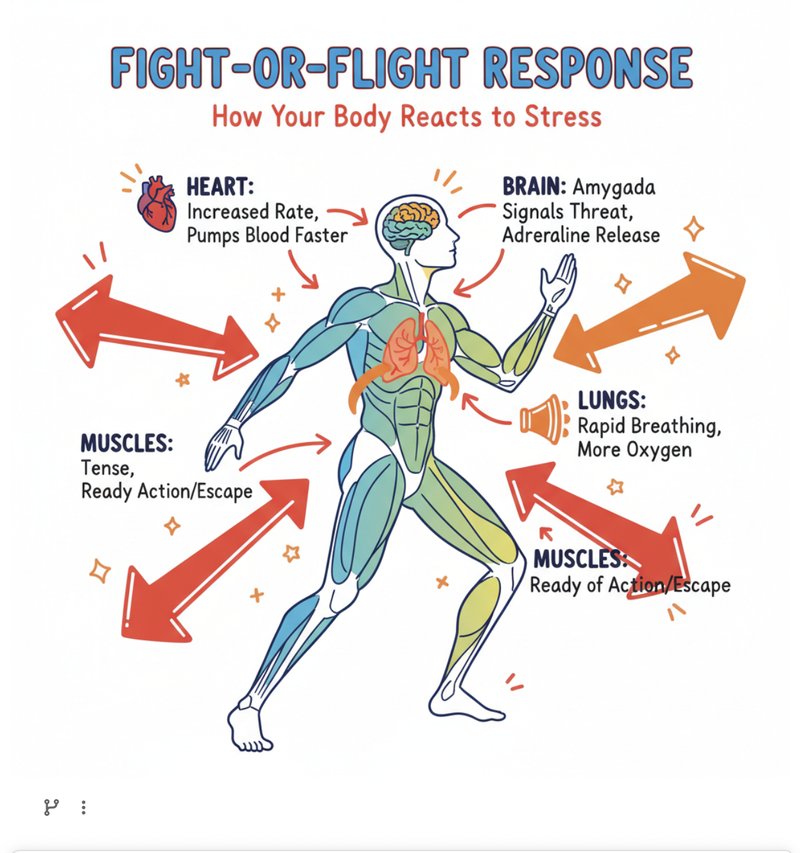
The coach now asks what each person teaches and tailors examples to it, so a psychology instructor gets psychology prompts and a chemistry instructor gets chemistry ones. Example prompts and practice activities moved from everyday scenarios to tasks an instructor could use in class the next day. Addresses finding 3.
Before
After
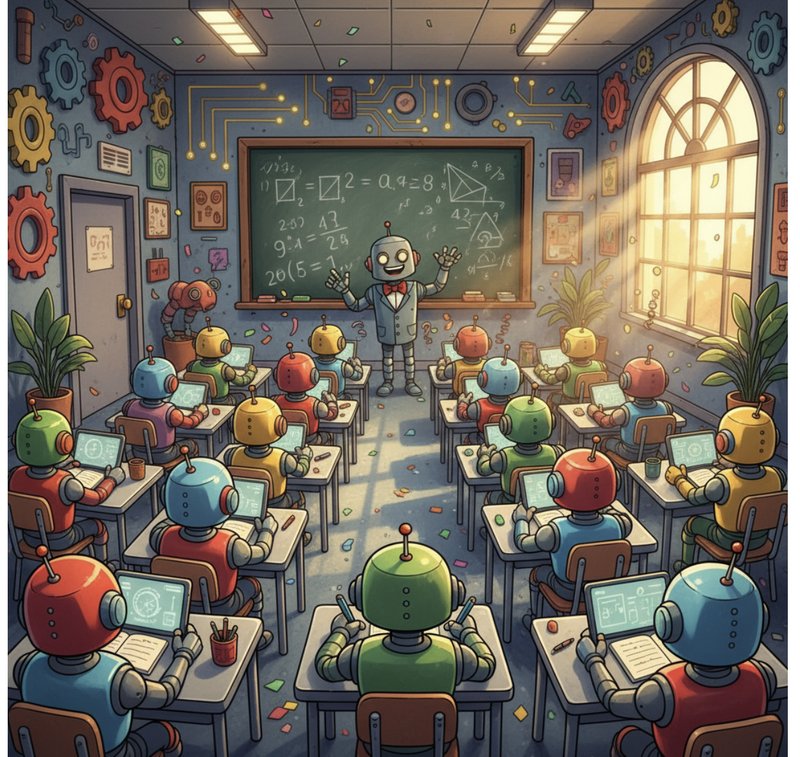
Before
Prompt: “Generate an image of a classroom filled with robots taking notes, cartoon style, bright colors, wide-angle view.”
After
Prompt: “Educational poster showing the fight-or-flight response in the human body. Show a simplified human figure with arrows pointing to key body parts (heart, lungs, muscles, brain). Colorful, engaging illustration style suitable for college psychology students. Clean layout with labels.”
Reflection
What I took from it: Reviewing each participant’s saved transcripts during the interview showed what they couldn’t describe on their own. Without them, the wrong-chatbot problem would have looked like general confusion. Users can’t fix a problem they don’t know they have, so it’s important to catch the problems they can’t see.